How it plays

Move on the beat
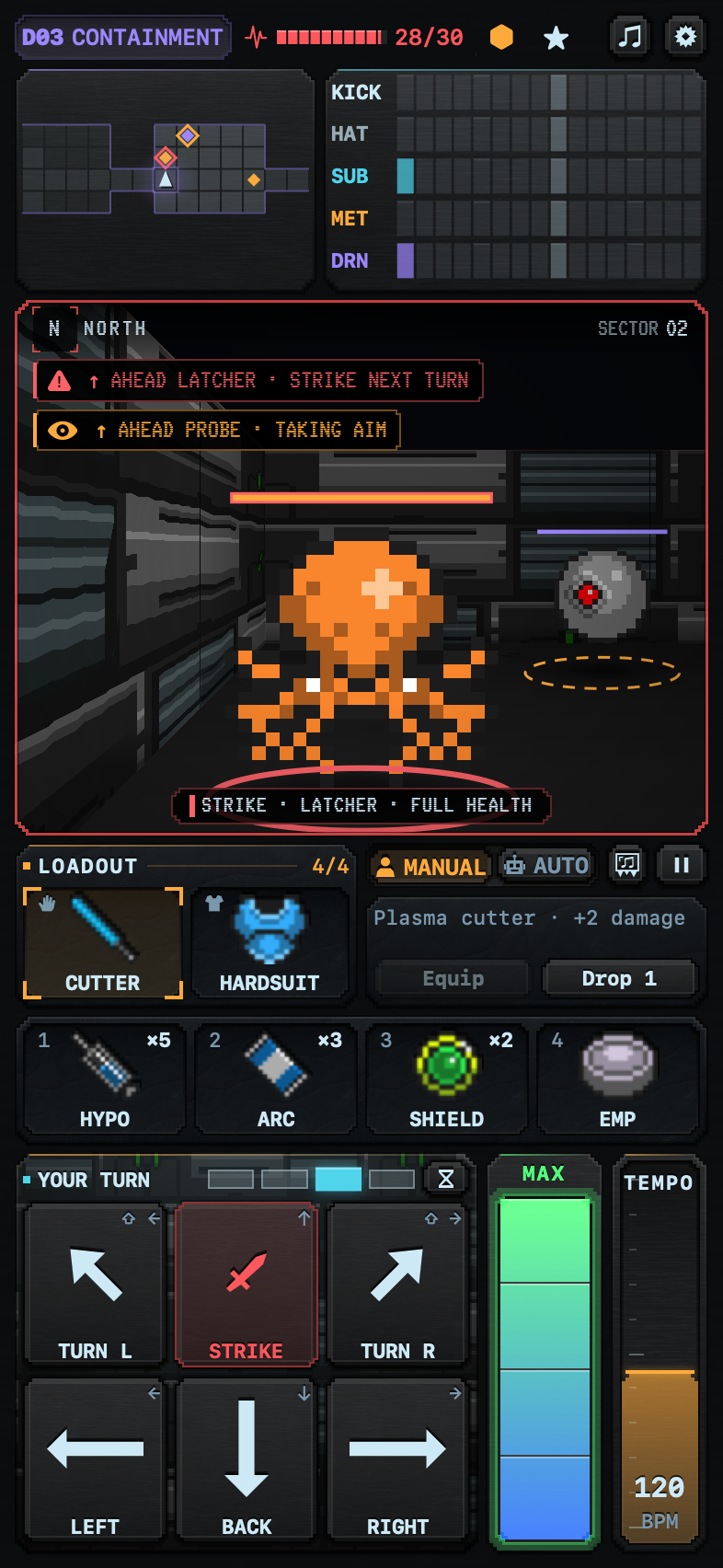
It's turn based, so nothing moves until you do. Press on the beat and you hit harder, sometimes for a crit. Off the beat you still move, you just don't get the bonus.
Charge
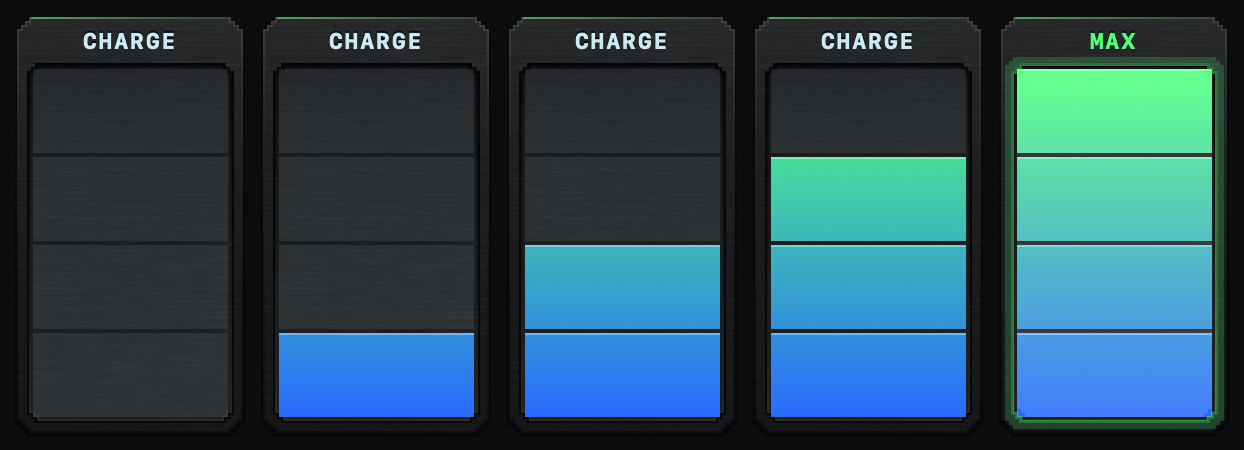
On the beat fills it up, off the beat drains it. Keep the rhythm to stay full, bosses can be hit only with full charge. You can make the tempo faster or slower whenever you like.
No surprises
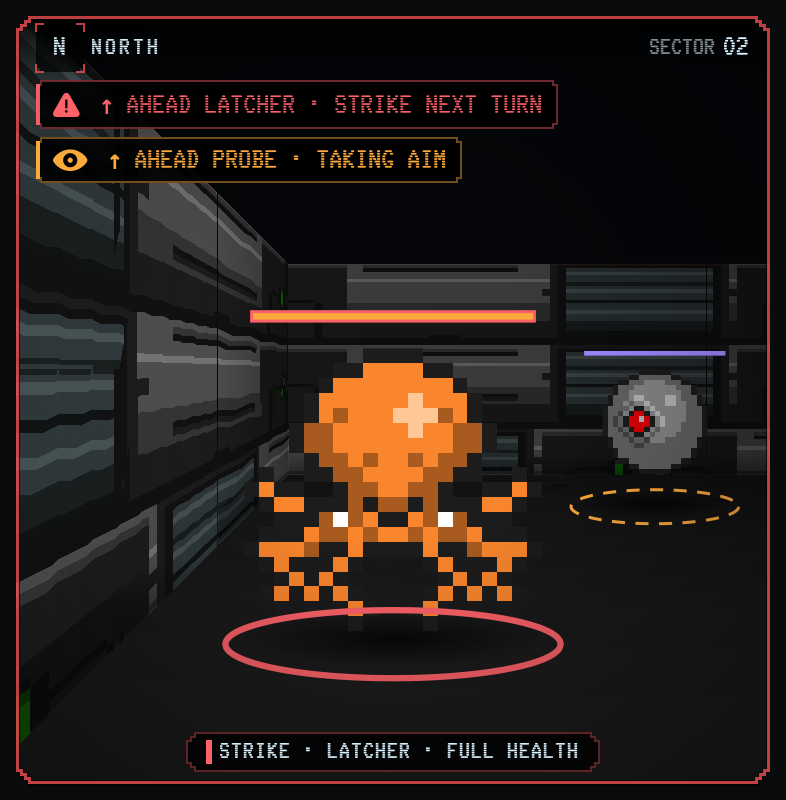
Enemies only move after you, and they always show what they'll do next, like attacking or taking aim.
▲ STRIKE NEXT TURNBosses
Wardens
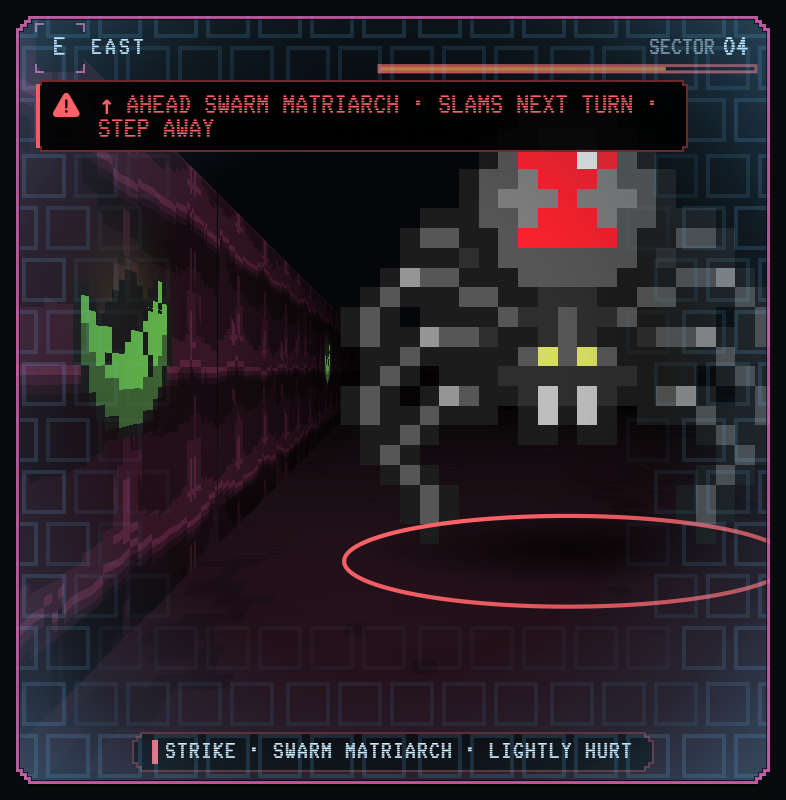
Every few levels a boss blocks the way down. You'll hear it in the music before you see it. Only full-charge hits hurt it, and when it's about to slam, step away.
The Masterbrain
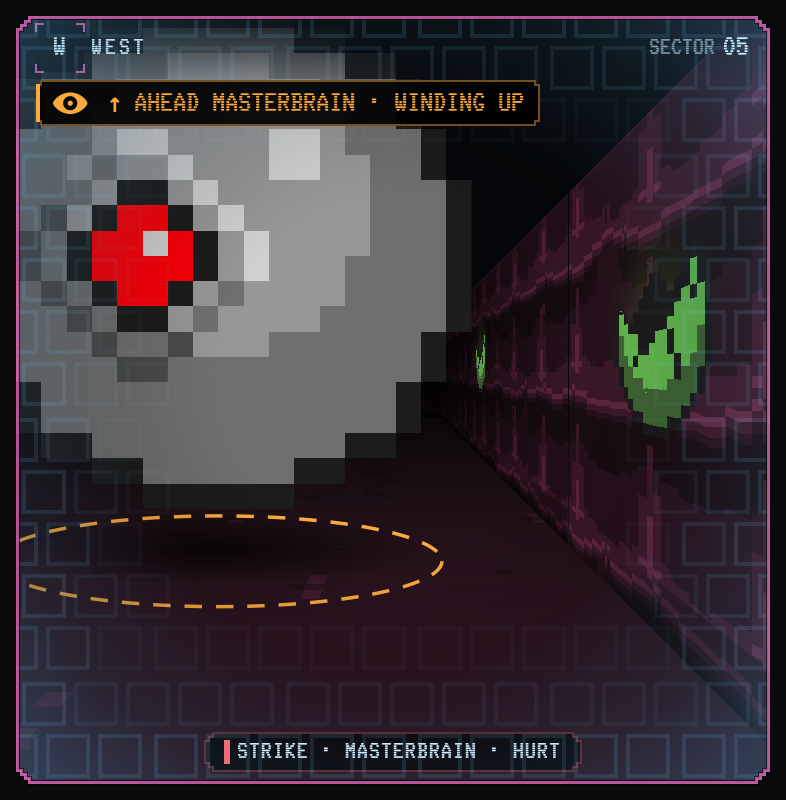
After three wardens you reach the Masterbrain. Knock out its three circuits first, then go for the final one.
Cash out or keep going
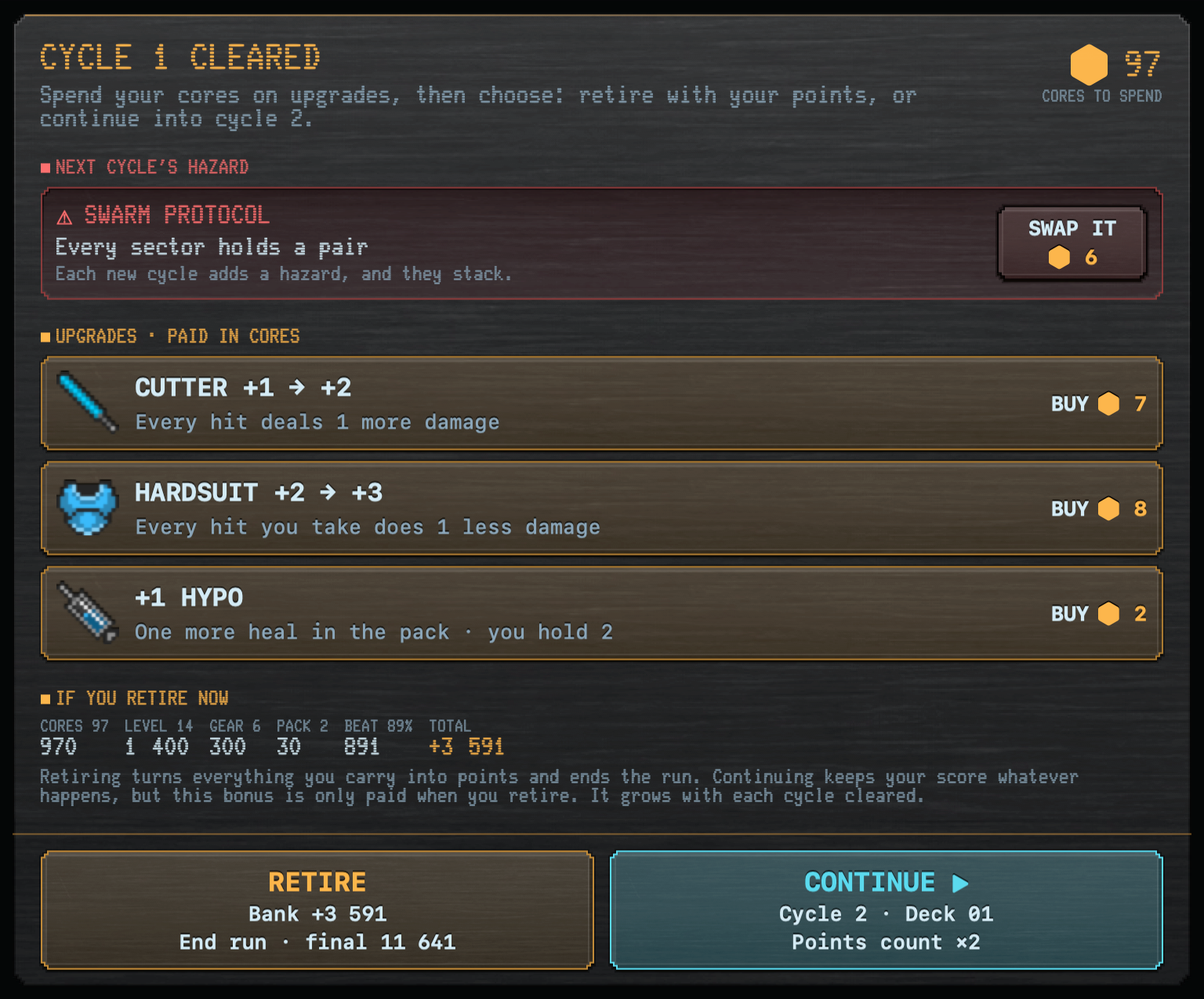
Beat it and the whole place falls apart, then rebuilds a bit harder. Buy upgrades, then either bank your score or play another round. Each round is worth more points.
Also: items to pick up, better weapons and armour the deeper you go, locked rooms with keycards, and a high score list.
The music
Nothing's pre-recorded. The game writes the music while you play, and what happens in the game influences how it sounds.
Every enemy belongs to SUB, MET or DRN and shows up in that colour. When a boss gets close, its part takes over.
New areas and fights change the chords and how busy it gets.
Pick a style
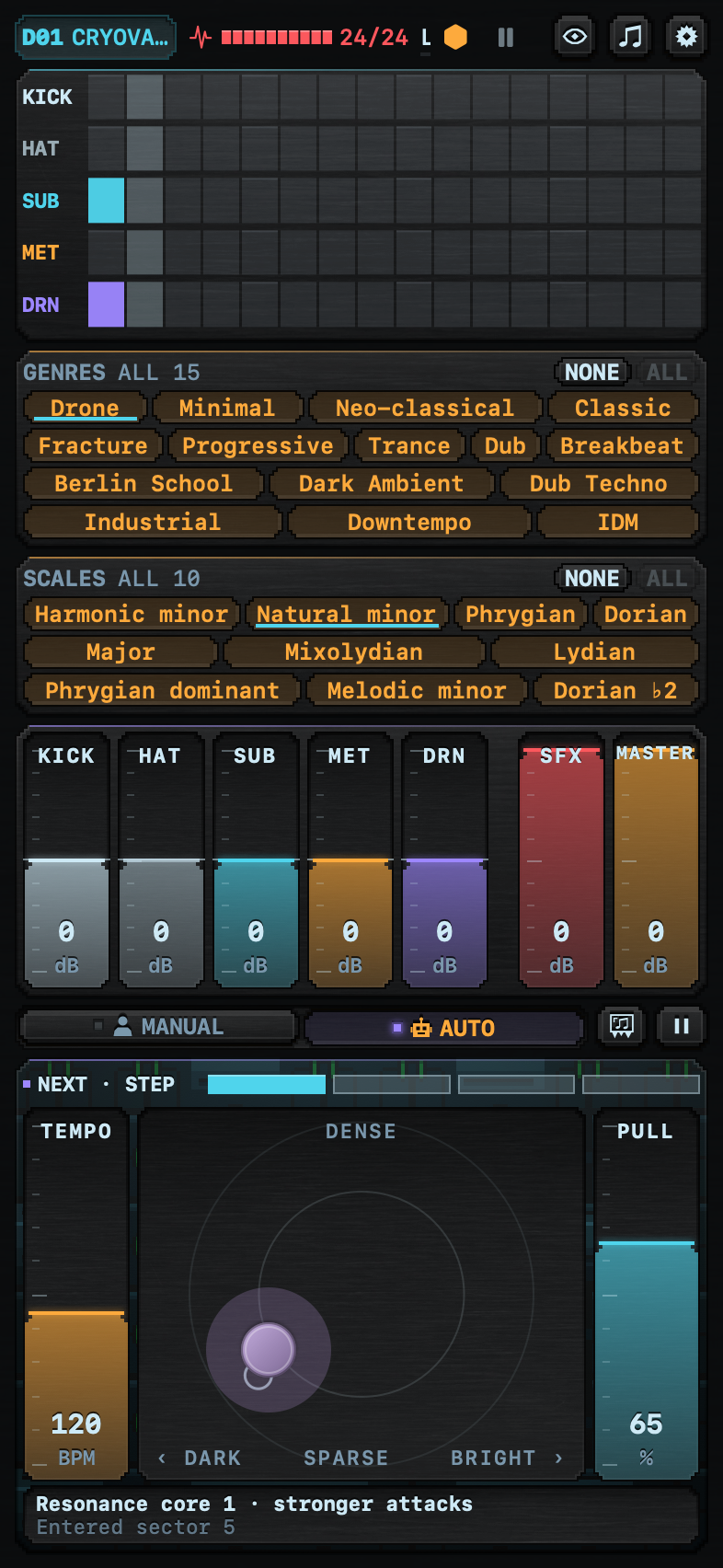
15 rhythmic genres, from Drone and Dark Ambient to Dub Techno and IDM, plus 10 scales. Turn on as many as you like and it tries to follow them.
Tweak the sound
Drag the tone pad to make it darker or brighter, busier or emptier. Every part has its own volume fader.
Auto
Let the game play itself and just listen. Hide the game view and leave it running as long as you want.
Video
MIDI Out & AUv3
The game is free, there's a single IAP for MIDI Out and AUv3 plugin.
MIDI out
Send every part to your synths, drum machines or other apps. One channel per part, or drums mapped to General MIDI on channel 10.
AUv3 plugin
Use it in Logic, GarageBand, AUM, Cubasis, HostSonic µ and other hosts, as an instrument or a MIDI effect. It plays in Auto and follows your host's tempo.
MIDI files
Load your own .mid file and it plays instead of the generated music while the game keeps going.
$4.99, one time. Covers all devices and platforms.
Get it


iOS / iPadOS 18+ · macOS 15+ · visionOS 2+ · No ads · No tracking