HearSonic is a live sound processor for iPhone, iPad and Mac, made for listening to your surroundings on headphones. Live input becomes grains, tuned resonance, echoes, reverb and octave shimmer, shaped by Tilt and Warp and many other parameters. It also works as an AUv3 effect on instruments and has recording capability.
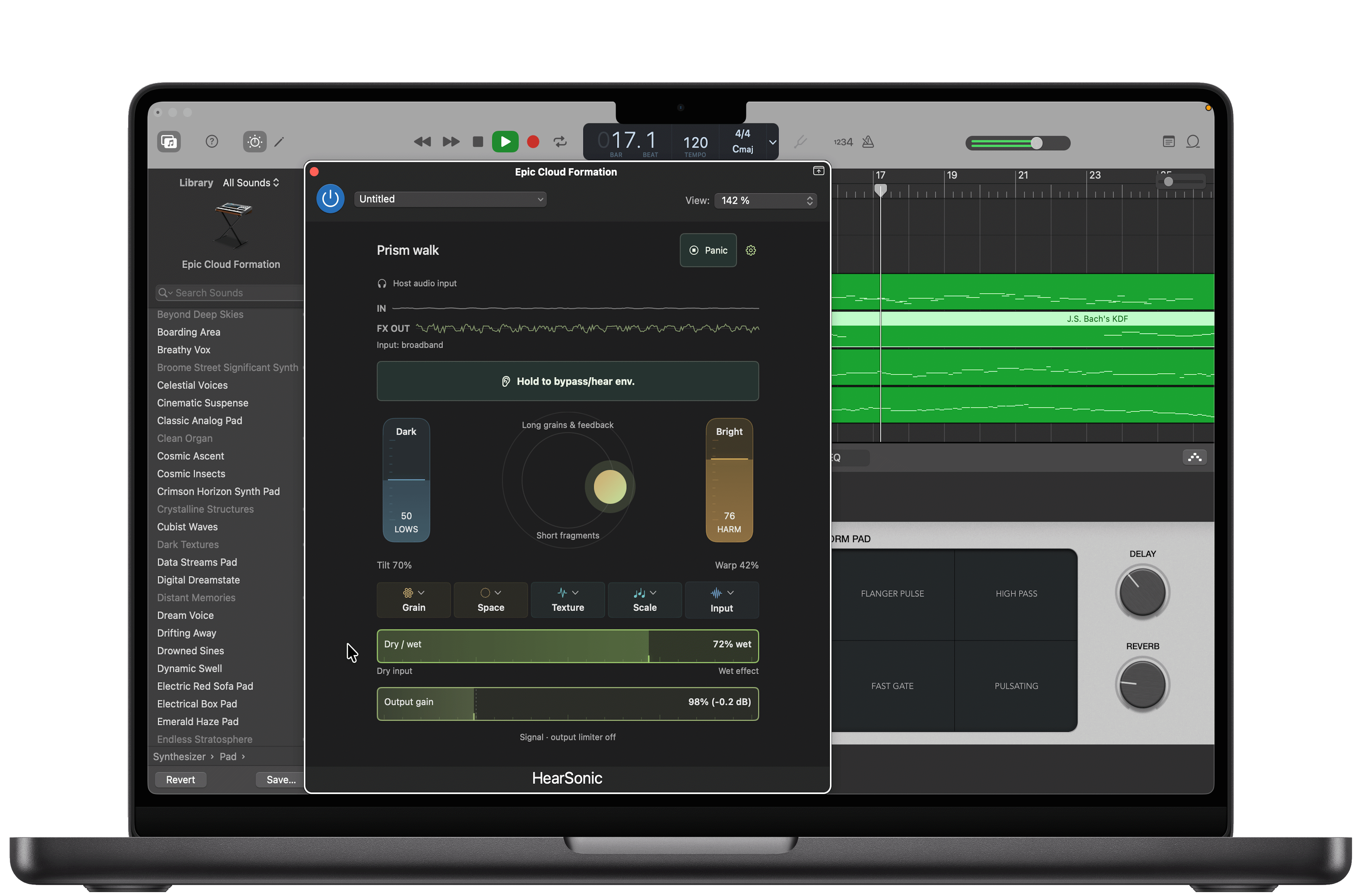
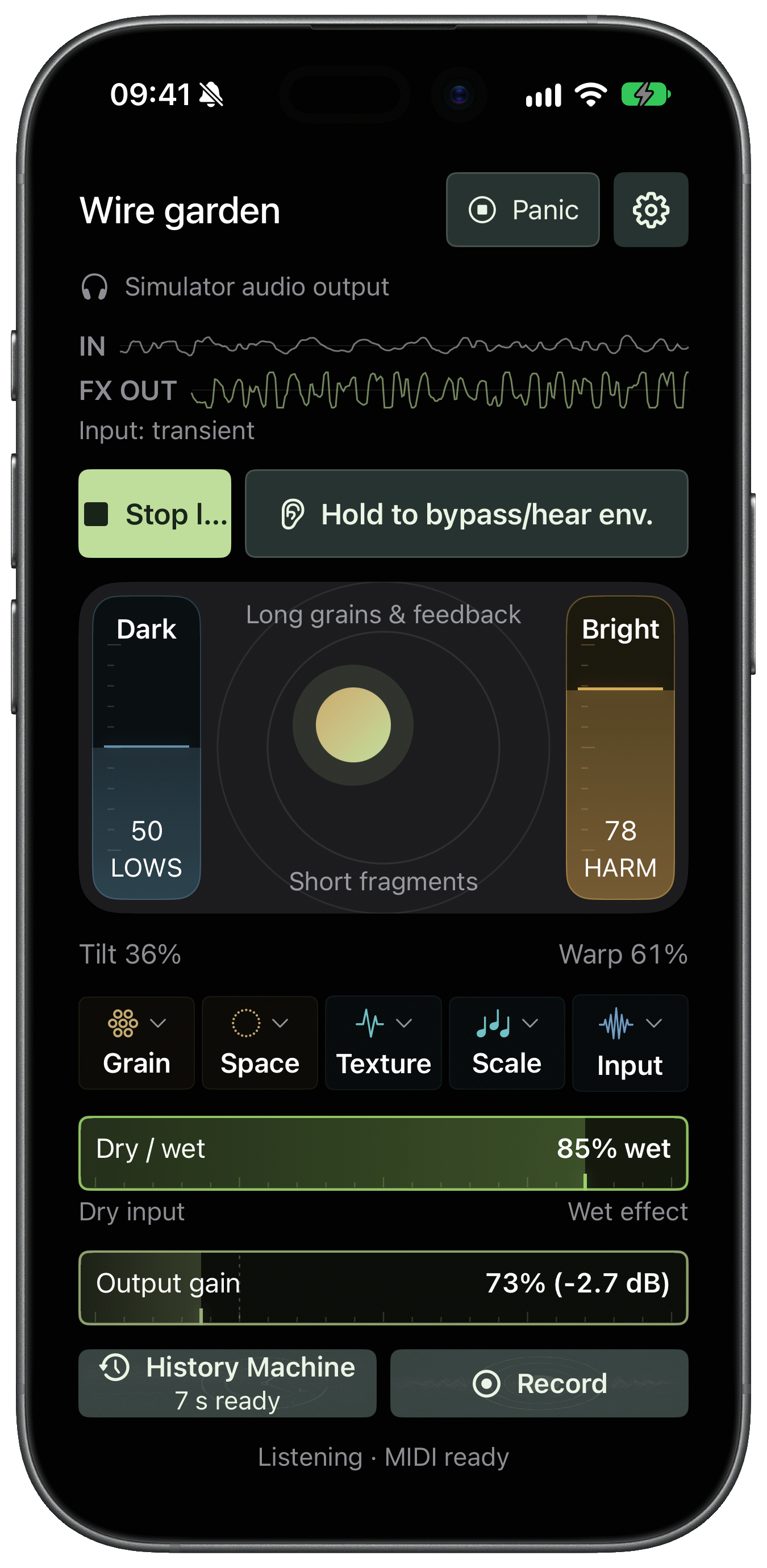
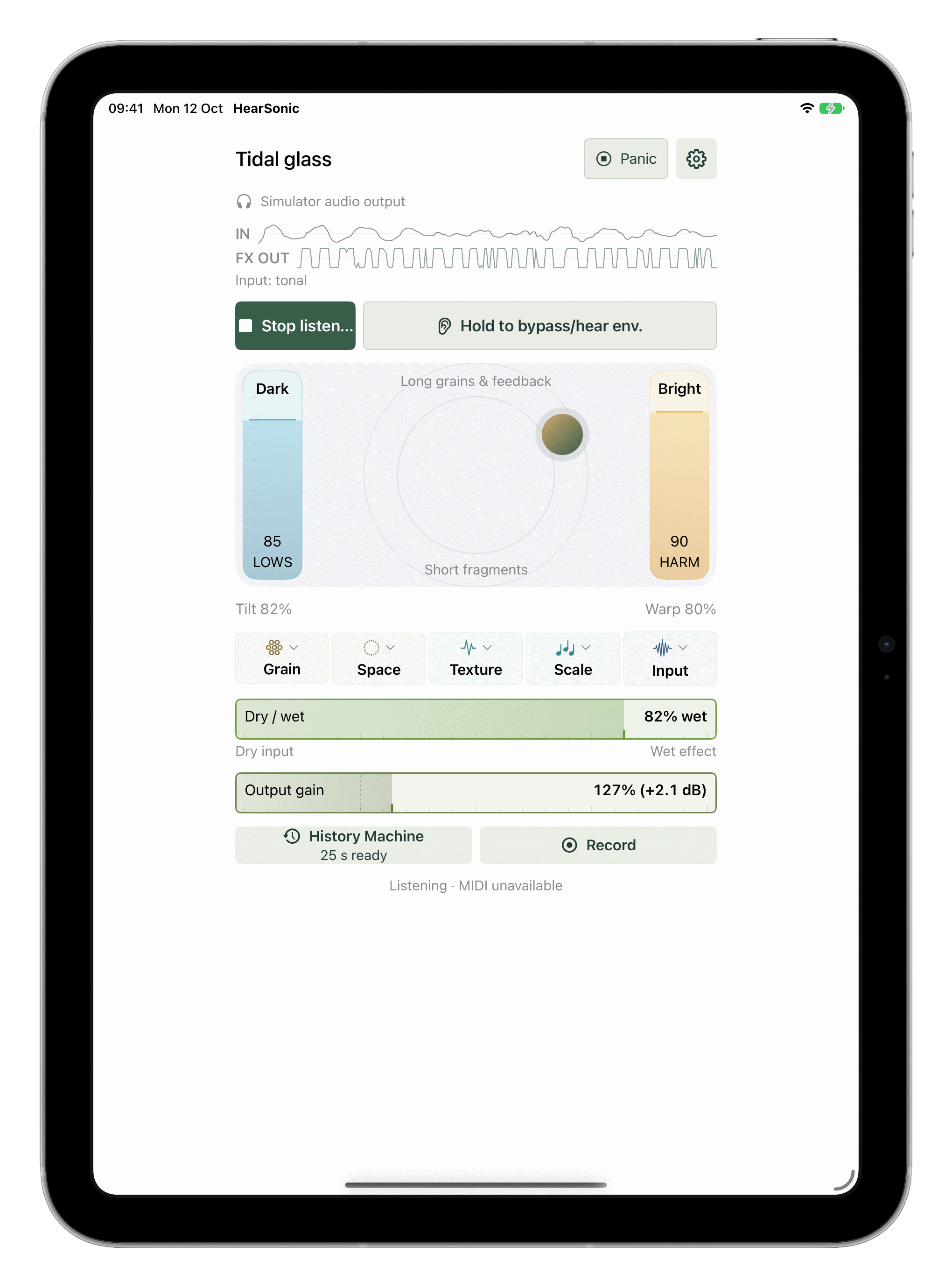
Live granular processor
Tilt, Warp and device motion
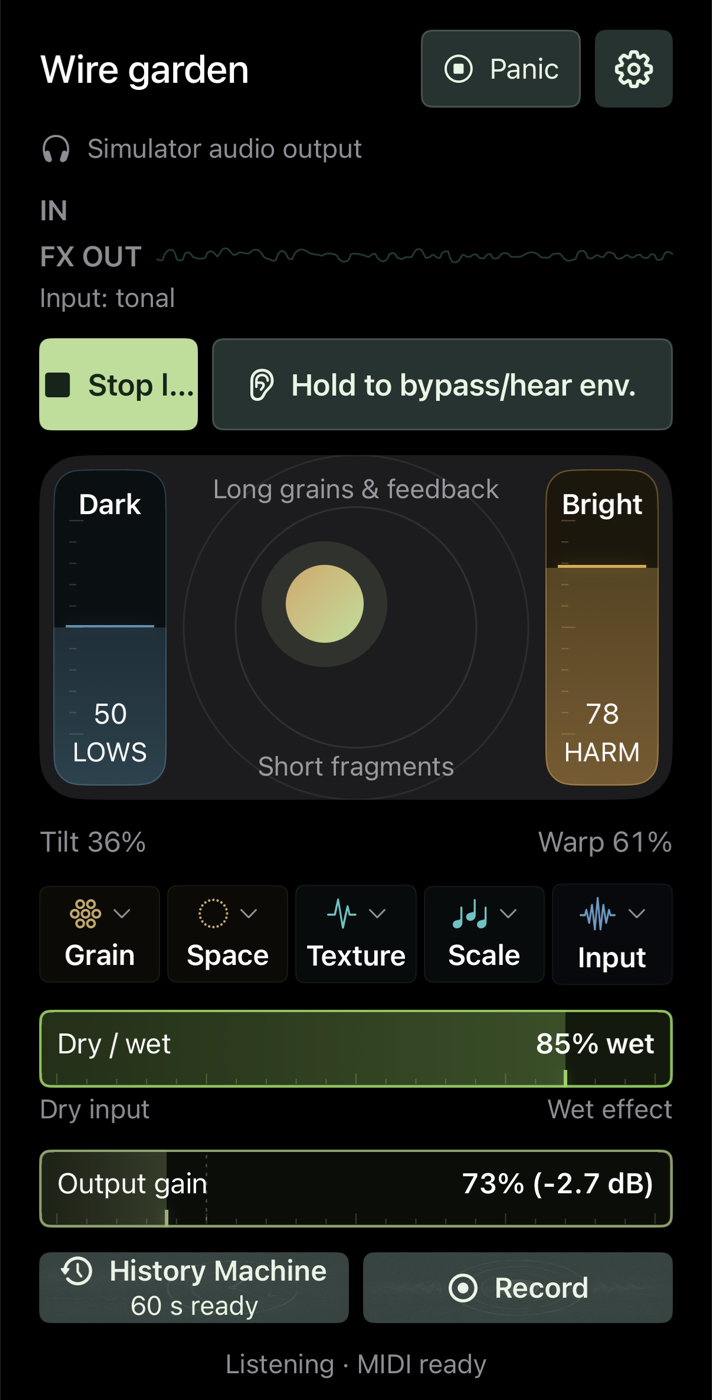
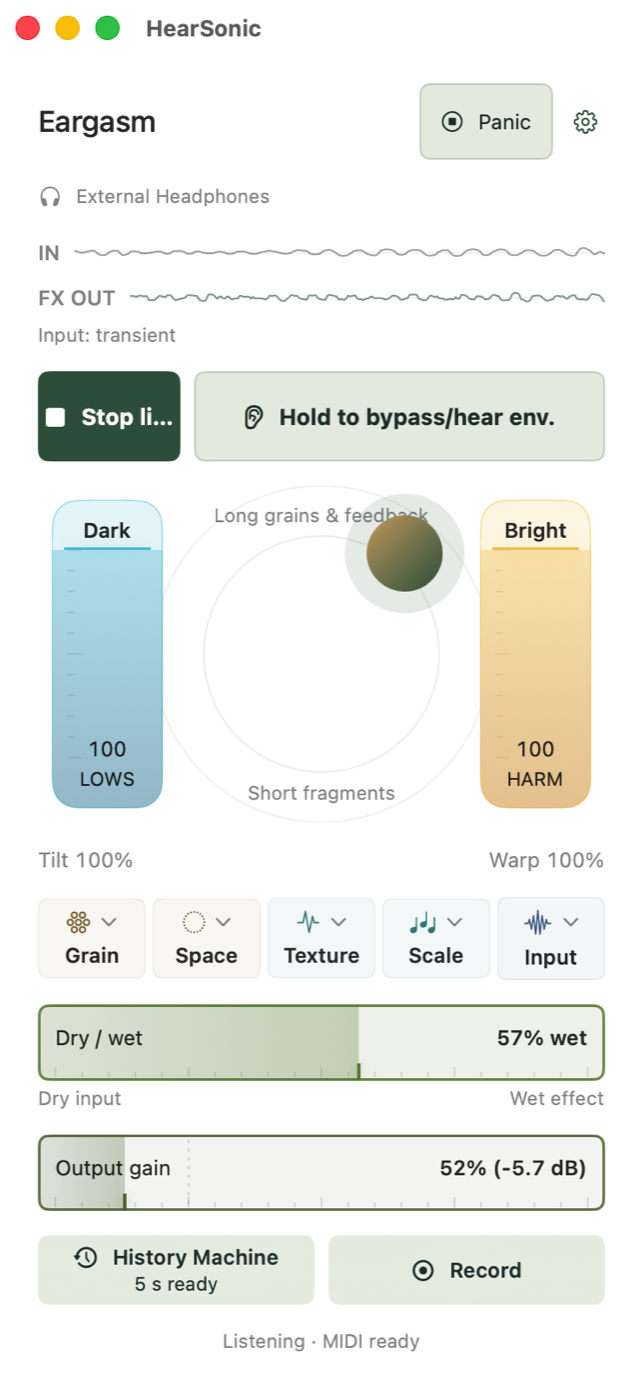
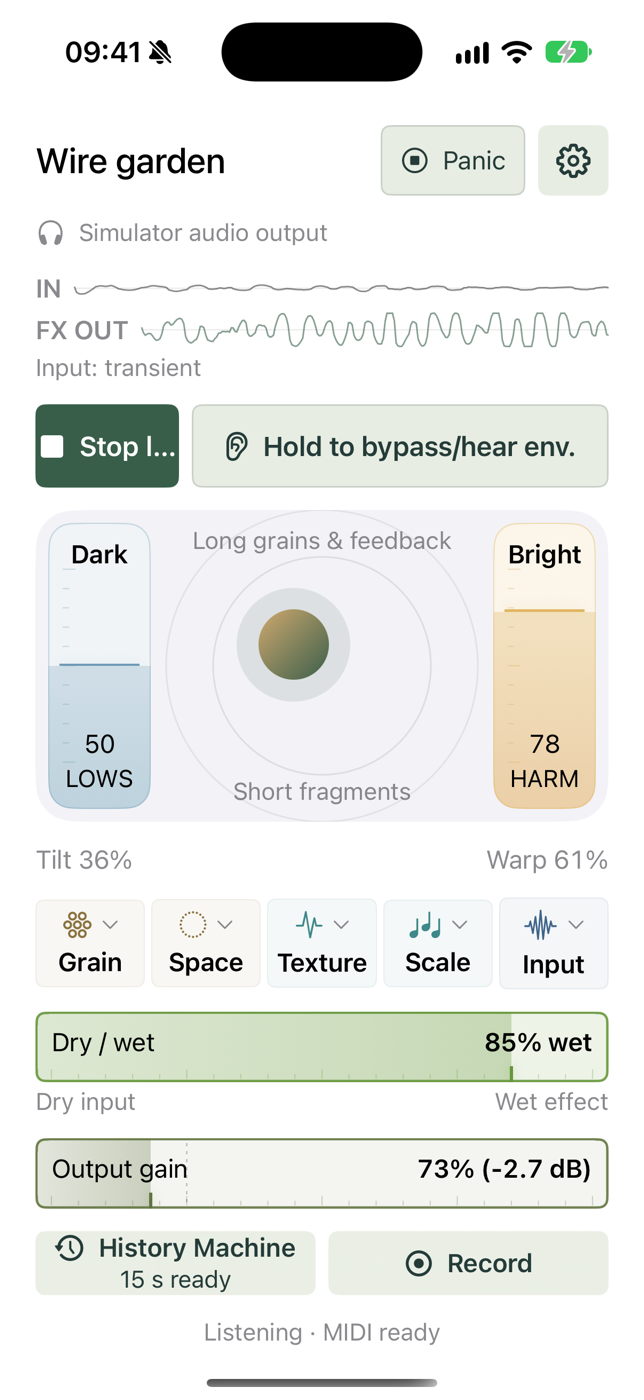
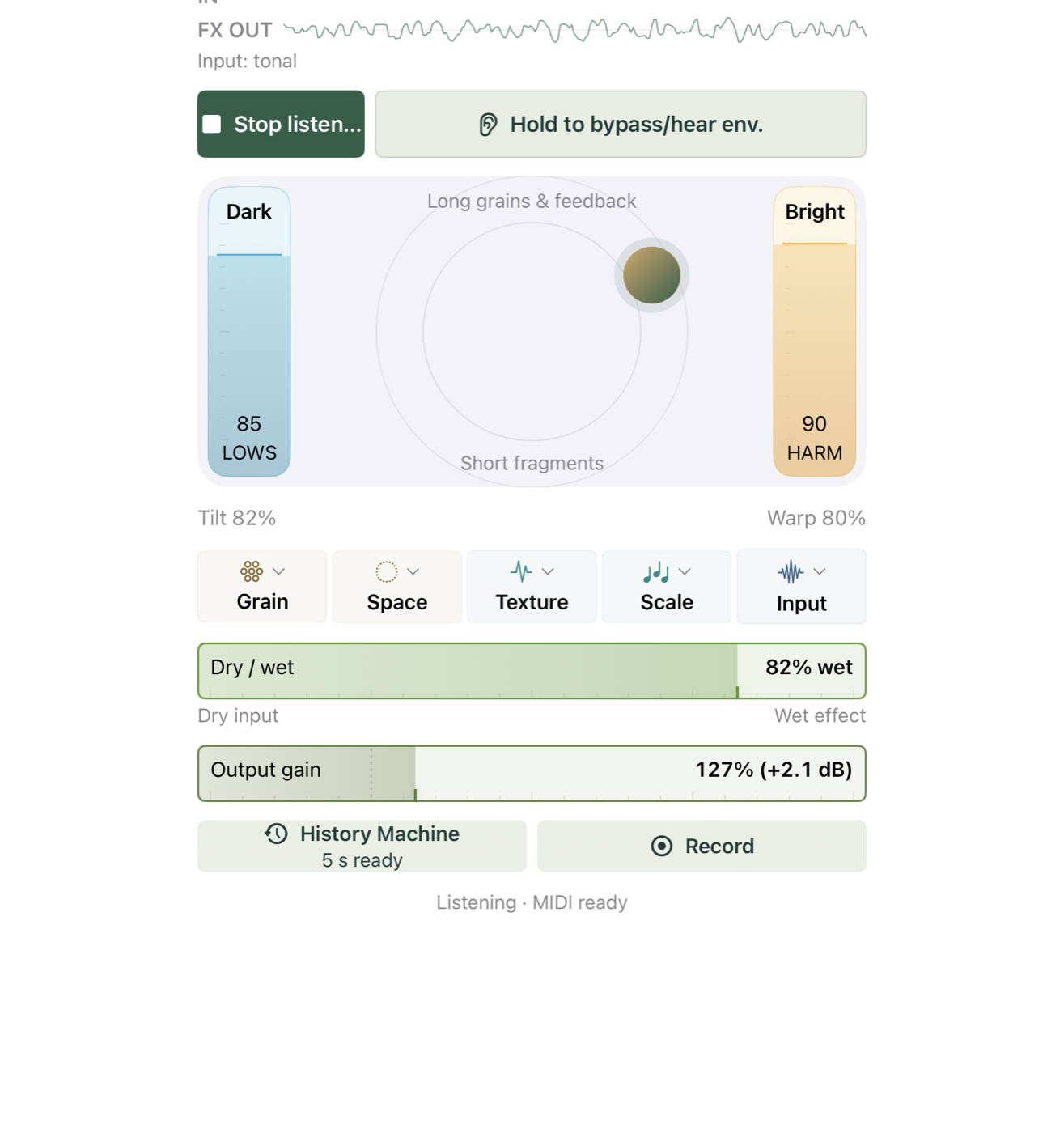
Tilt ranges from slow, bass-heavy grains through tuned resonance to harmonics and shimmer. Warp adds longer grains, time scatter, reversals and spectral feedback. The side strips control Low weight and Harmonics.
On devices with motion sensors, Motion lets gravity move the ball and both controls. Pin centre sets its resting position; a long press resets it. Bypass passes dry input while processing continues, and Panic clears the buffers and stops standalone audio.
Sessions and presets
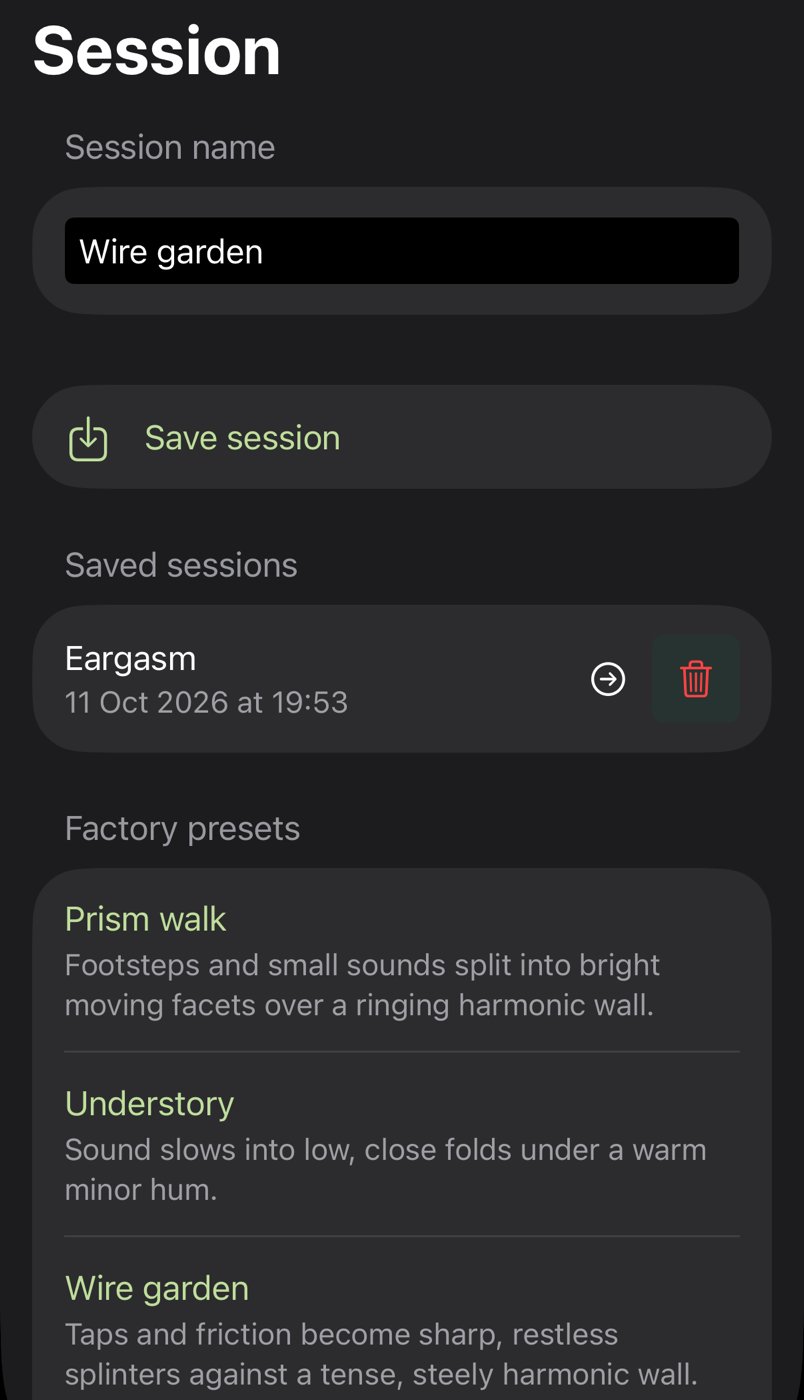
Sessions keep the full setup, with automatic restoration of the current session on launch. The browser handles saved sessions and factory presets for textures, pads and rhythmic fragments. Presets leave Output gain, Input mode and MIDI mapping as they are. In a host, the session is saved with the project.
Grain
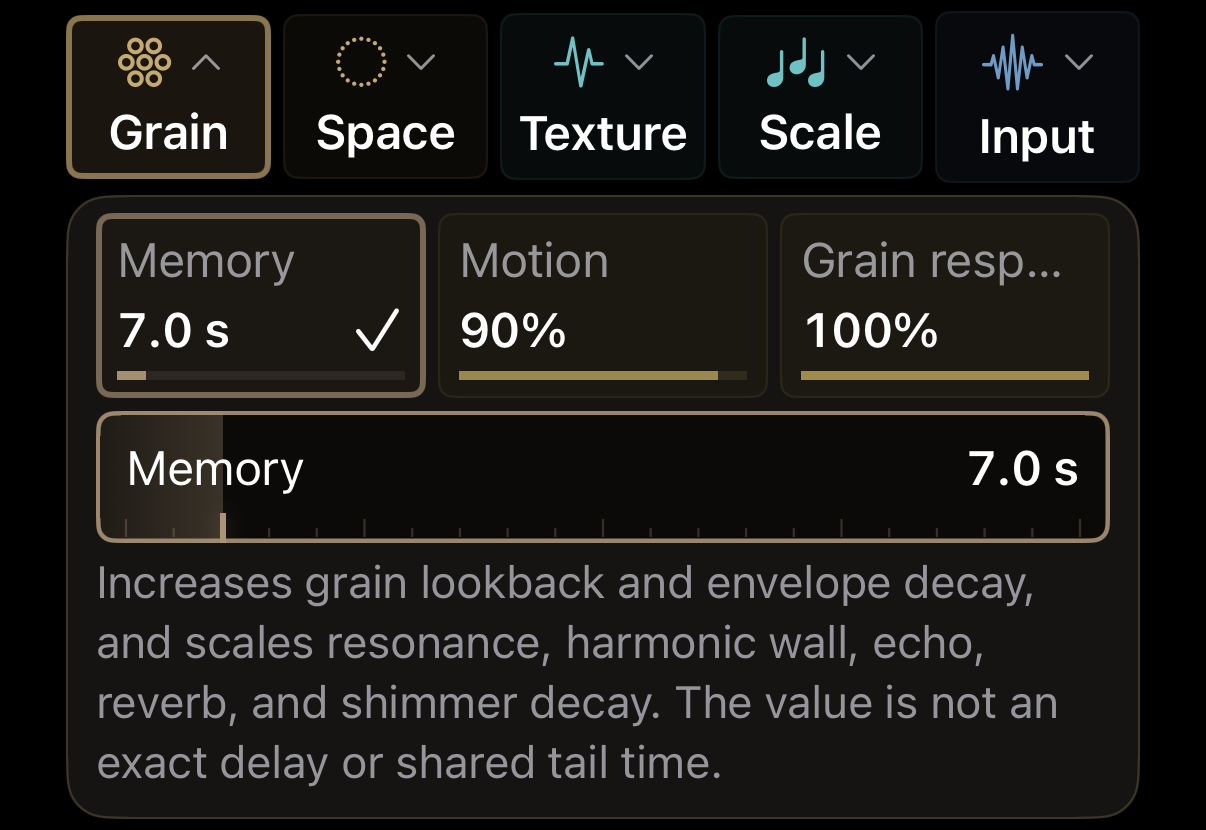
Memory determines grain lookback and effect decay. The Grain group's Motion parameter adds scanning, stereo movement and pulsing, independently of device motion. Grain response controls level, density and onset sensitivity. Parameter descriptions are available in the app.
Input and output
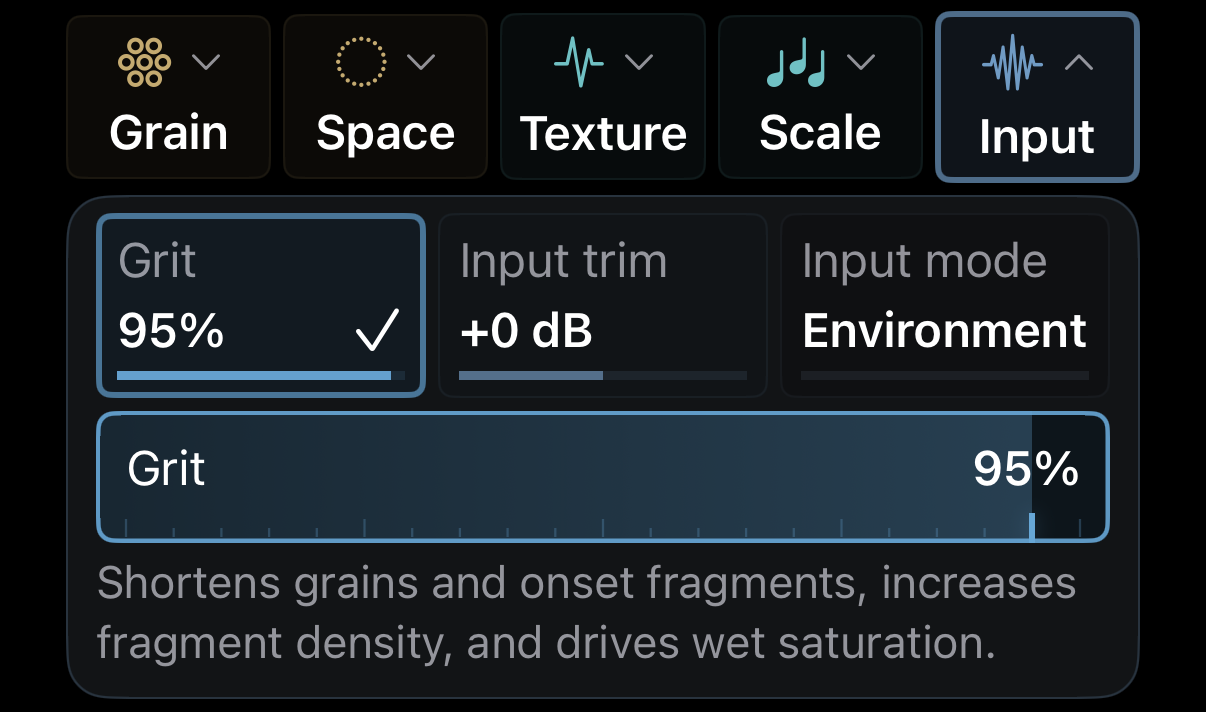
Environment mode adapts to input activity and limits output peaks; Signal accepts quiet sources without output limiting. The standalone app defaults to Environment, the plug-in to Signal.
Input trim sits before processing. Grit adds saturation and shorter, denser fragments, with Dry / wet and Output gain controlling the final mix.
Scale
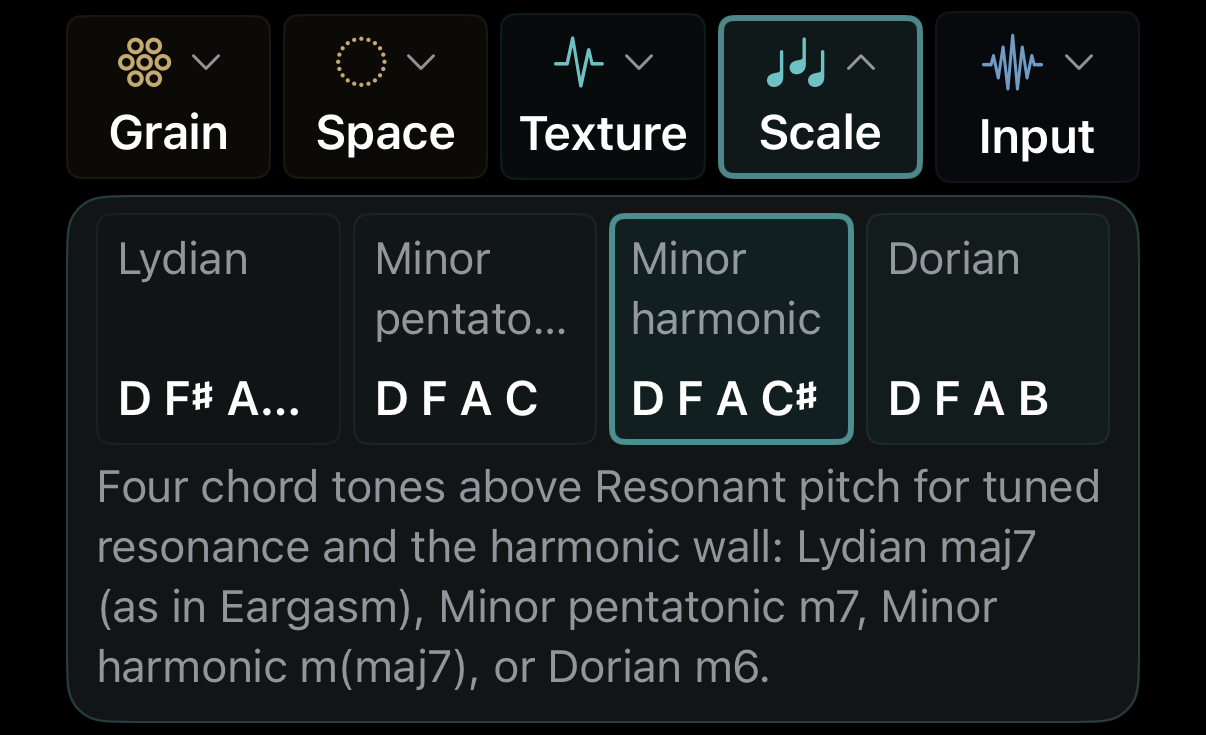
Resonance and the harmonic wall follow a four-note chord rooted at Resonant pitch: Lydian maj7, minor pentatonic m7, harmonic minor m(maj7) or Dorian m6. The Harmonics strip brings in the wall at any Tilt position.
MIDI, recording and hosting
MIDI In
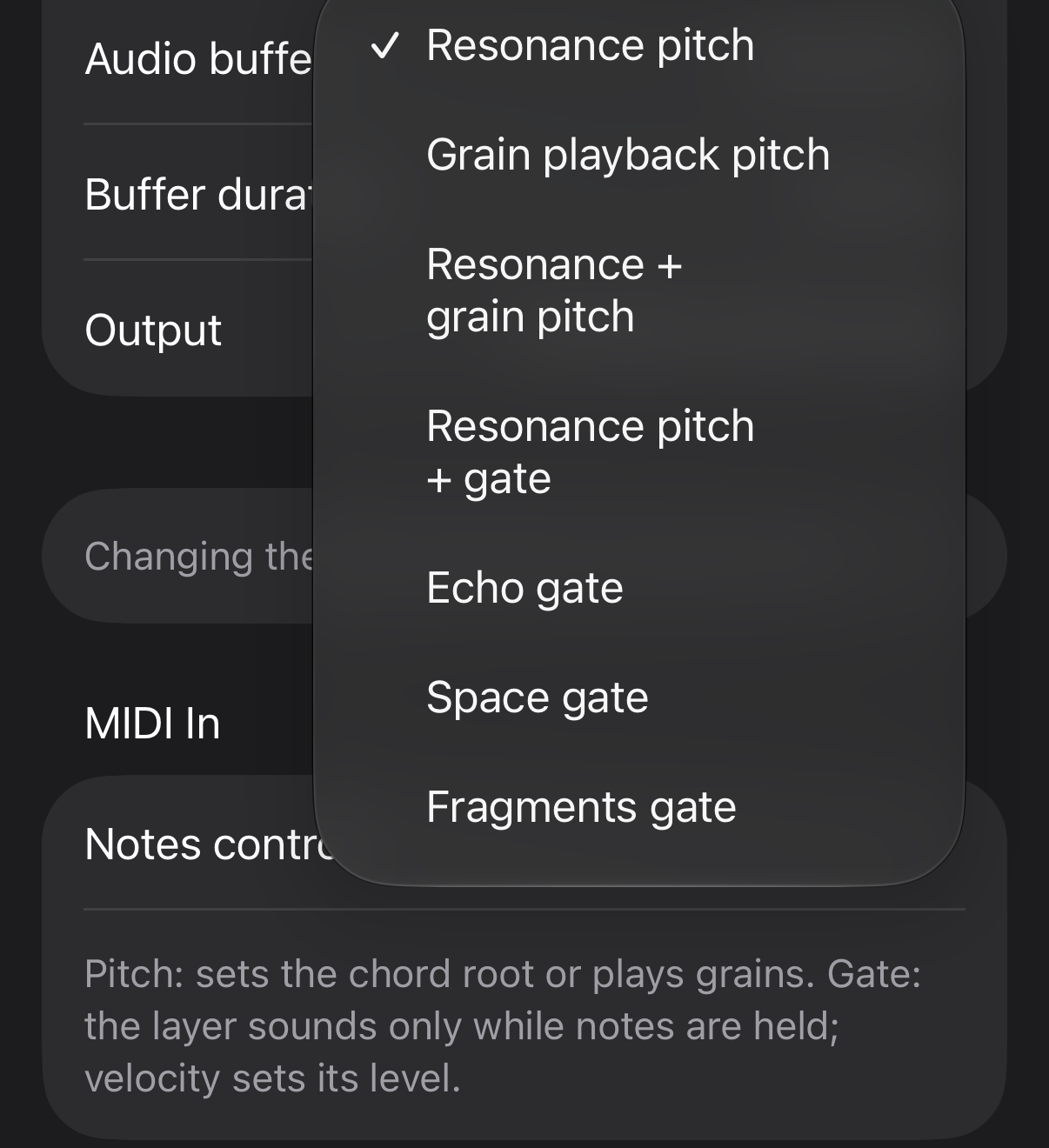
MIDI notes can set resonance pitch, transpose grains, control both, or tune and gate resonance and the harmonic wall. Echo, Space and Fragments have gate modes too. Velocity controls gated levels, sustain holds gates, and tails continue after release.
Grain playback supports velocity, pitch bend, pressure and MPE, with CC74 moving through captured audio. The standalone app receives connected MIDI sources; the plug-in receives MIDI from its host.
History Machine and Record
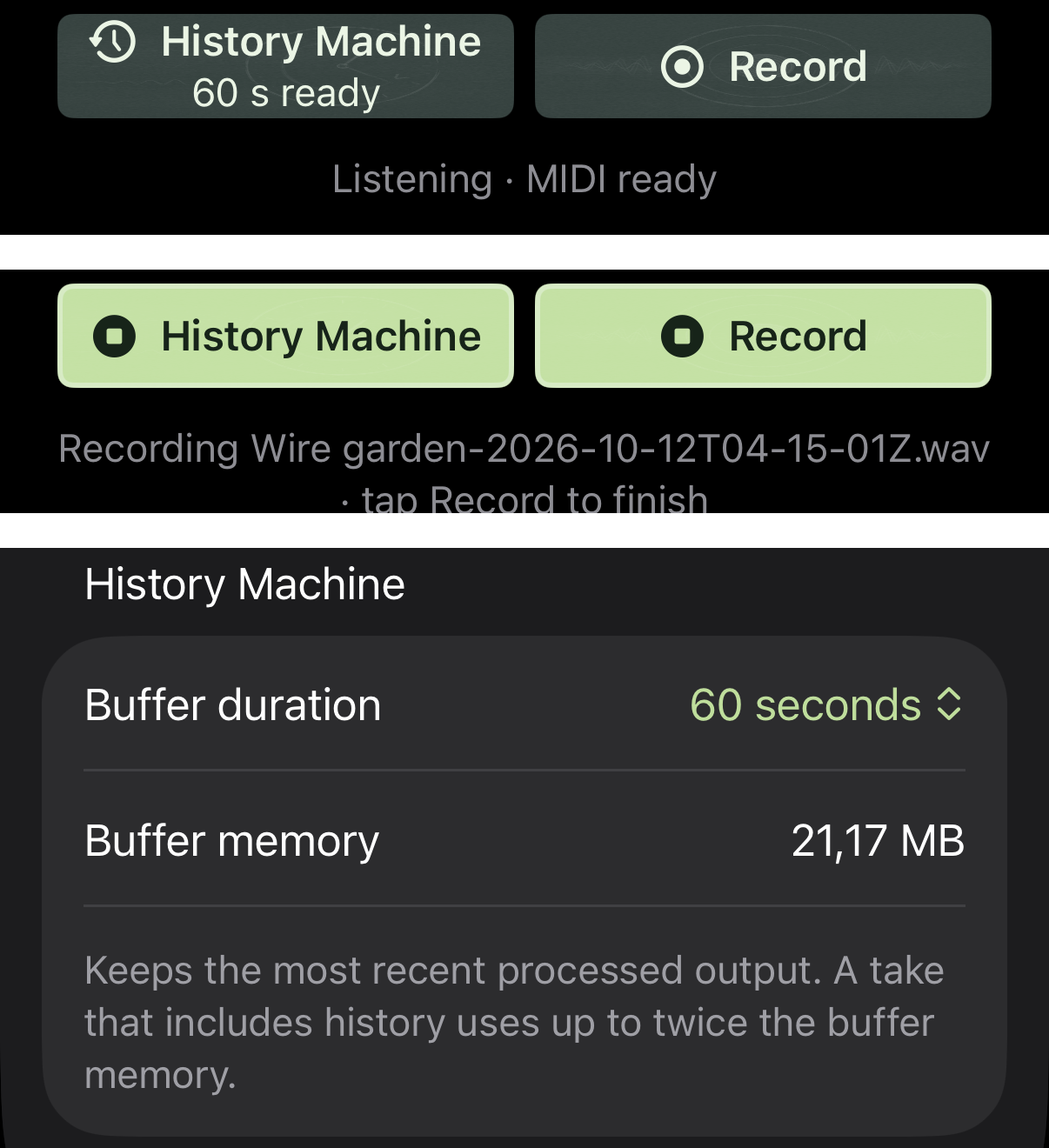
History Machine adds buffered output to the beginning of a recording, with 15 to 300 seconds of history and a 60-second default. Record starts a take immediately. Both are standalone features and save stereo audio through the system dialog.
Formats are AAC/M4A at 256 kbps (default) and lossless 24-bit FLAC, with estimated file size shown in Settings. AAC converts processing rates above 48 kHz to 44.1 or 48 kHz.
AUv3 in a host
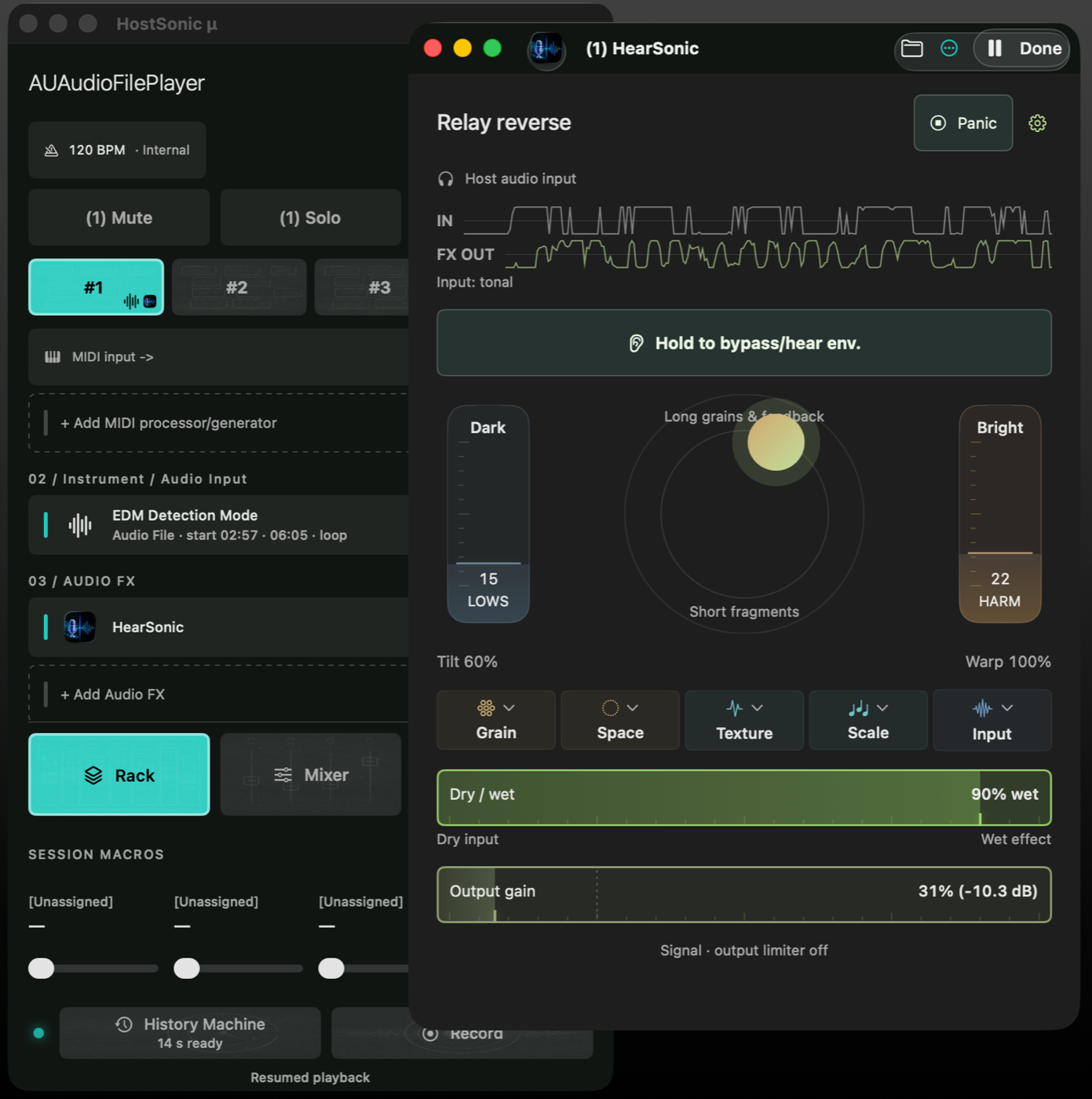
As an AUv3 effect, HearSonic processes instruments, tracks and recordings in a compatible host, including HostSonic μ on Mac. Audio, MIDI and sample rate come from the host; bypass keeps the effect running underneath the dry signal.
The standalone app supports the device rate or a selected 44.1, 48 or 96 kHz.
Available
Available as a standalone app and an AUv3 effect.Mac
iPhone
iPad
€8.99
One purchase includes all supported platforms.

For questions or support, contact me on X, Bluesky, or Threads.You can check out also loopypro/audiobus forums.